
Store operations - 6 min read
By Laurynas - Updated
How to fix sold out issues on Shopify
A Shopify product can show Sold out even when you have stock. The usual cause is not the product page - it is an inventory, location, shipping, market, or integration setting. Work through this checklist in order to restore availability without creating oversells.
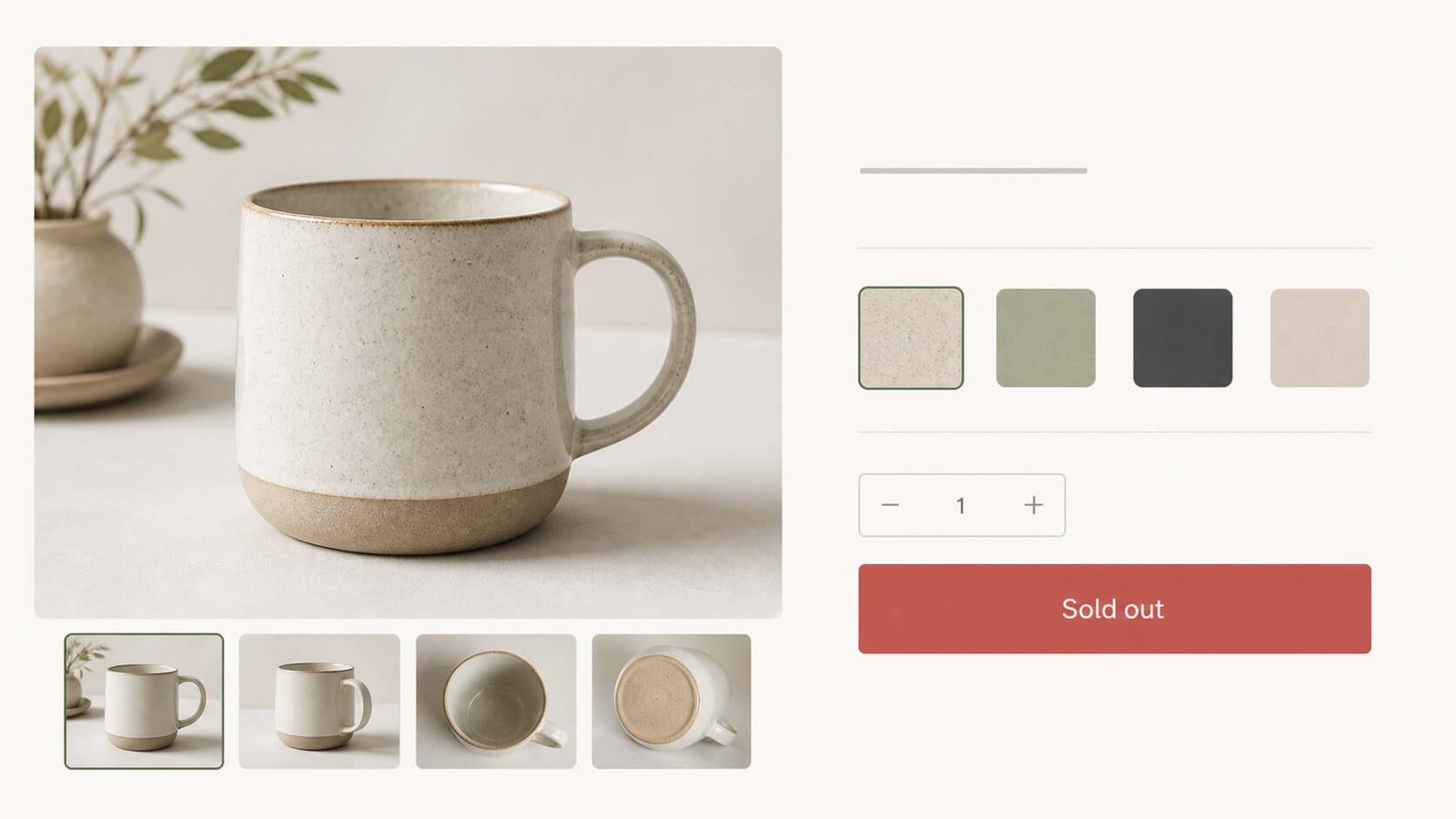
Start with the affected variant
Shopify sells variants, not the parent product. In Shopify admin, go to Products, open the affected product, then open the exact variant that appears unavailable. Check that the variant is active, published to the Online Store, and has an inventory location assigned.
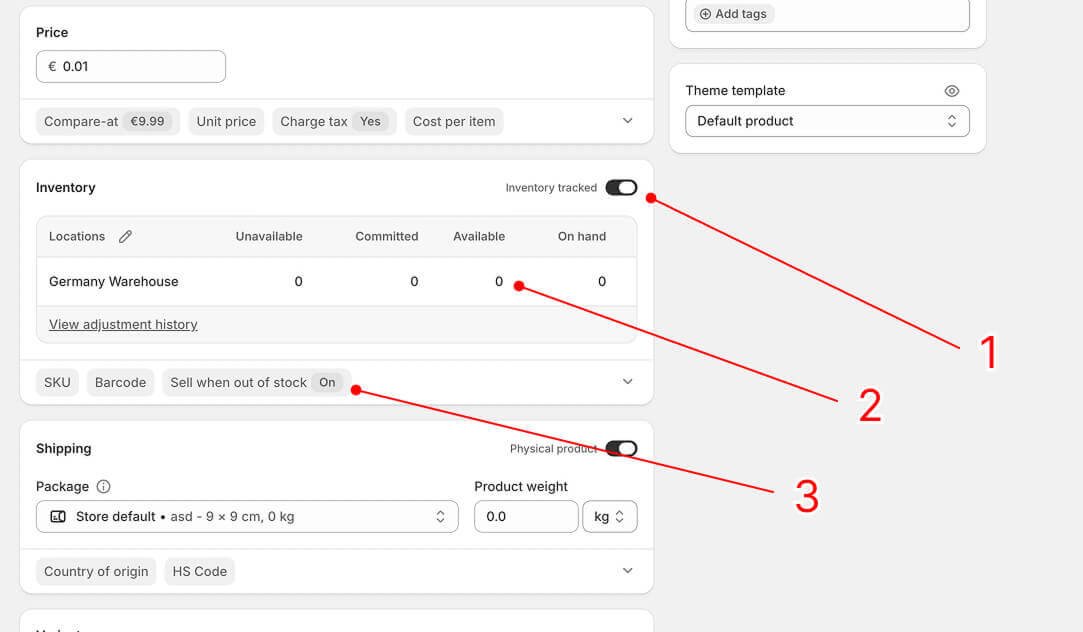
- Check Track quantity. If you intentionally do not track inventory, move to the Check fulfilment, shipping zones, and product profiles.
- If you have inventory tracking enabled, check that the quantity is greater than zero and that the variant is not set to Continue selling when out of stock.
- If you have inventory tracking enabled but do not have inventory, you can enable Continue selling when out of stock to allow customers to purchase the product even when it is sold out.
Check fulfilment, shipping zones, and product profiles
For a variant to be purchasable online, its available inventory needs to be at a location that fulfils online orders. The shipping profile assigned to the product then needs a zone and rate for the customer's address. Review these settings after changing a warehouse, fulfilment service, or inventory app.
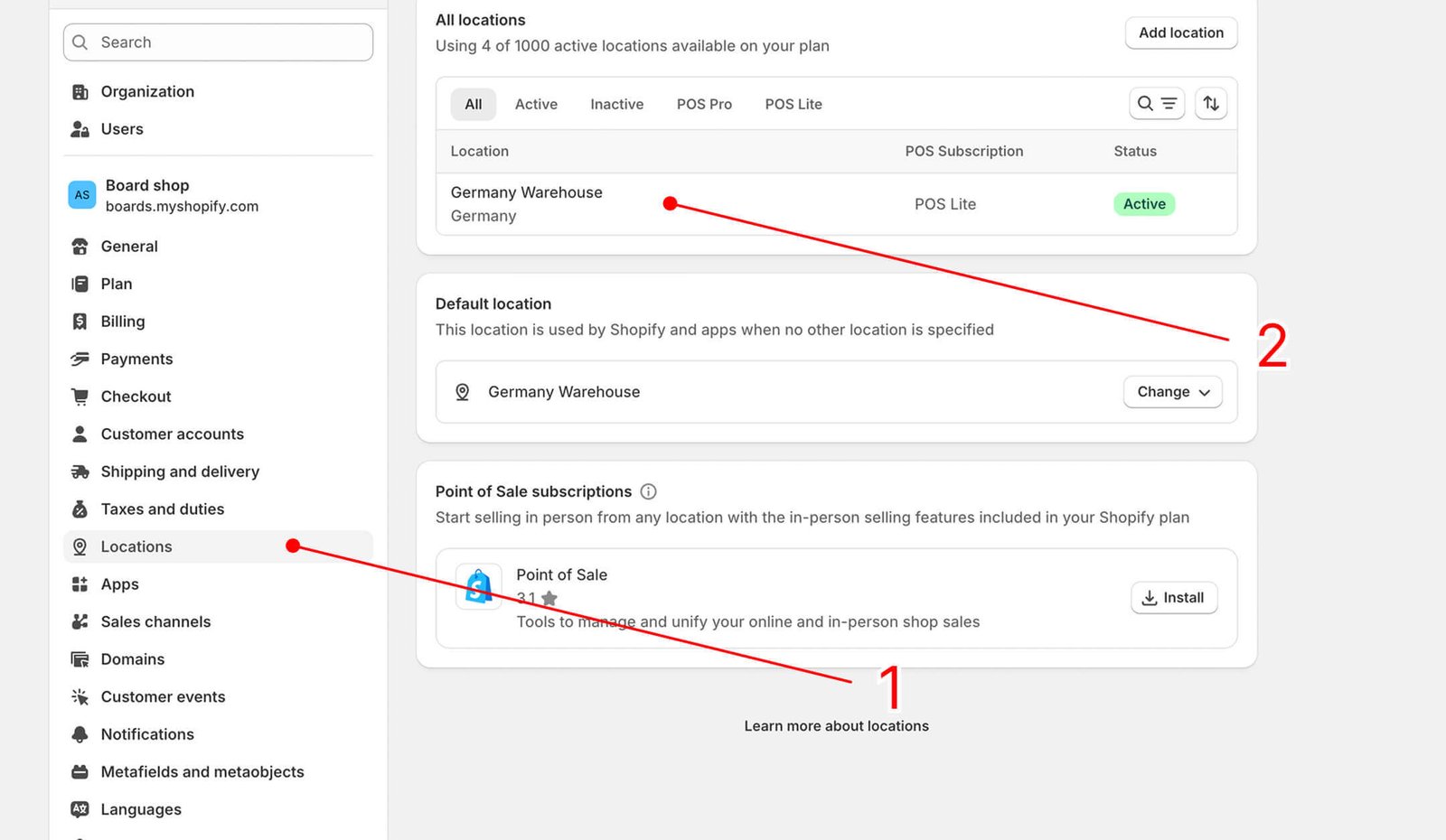
- Open Settings -> Locations, then select the location where the affected variant is stocked. Confirm that the location can fulfil online orders. Labels can vary by setup.
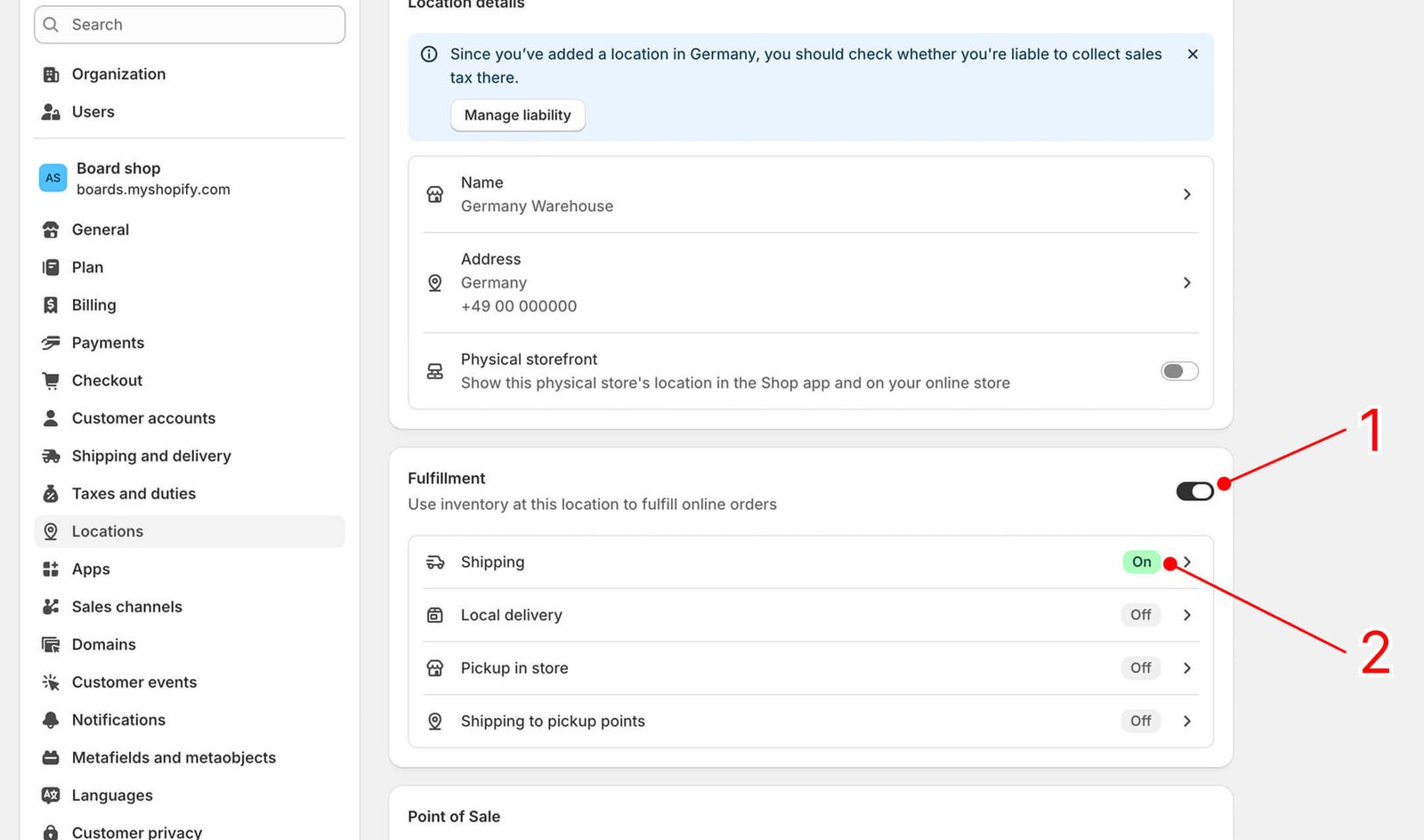
- Check whether the Fulfilment option is enabled. If Shipping is available as a delivery method, confirm its status is On, then select it to review the configuration.
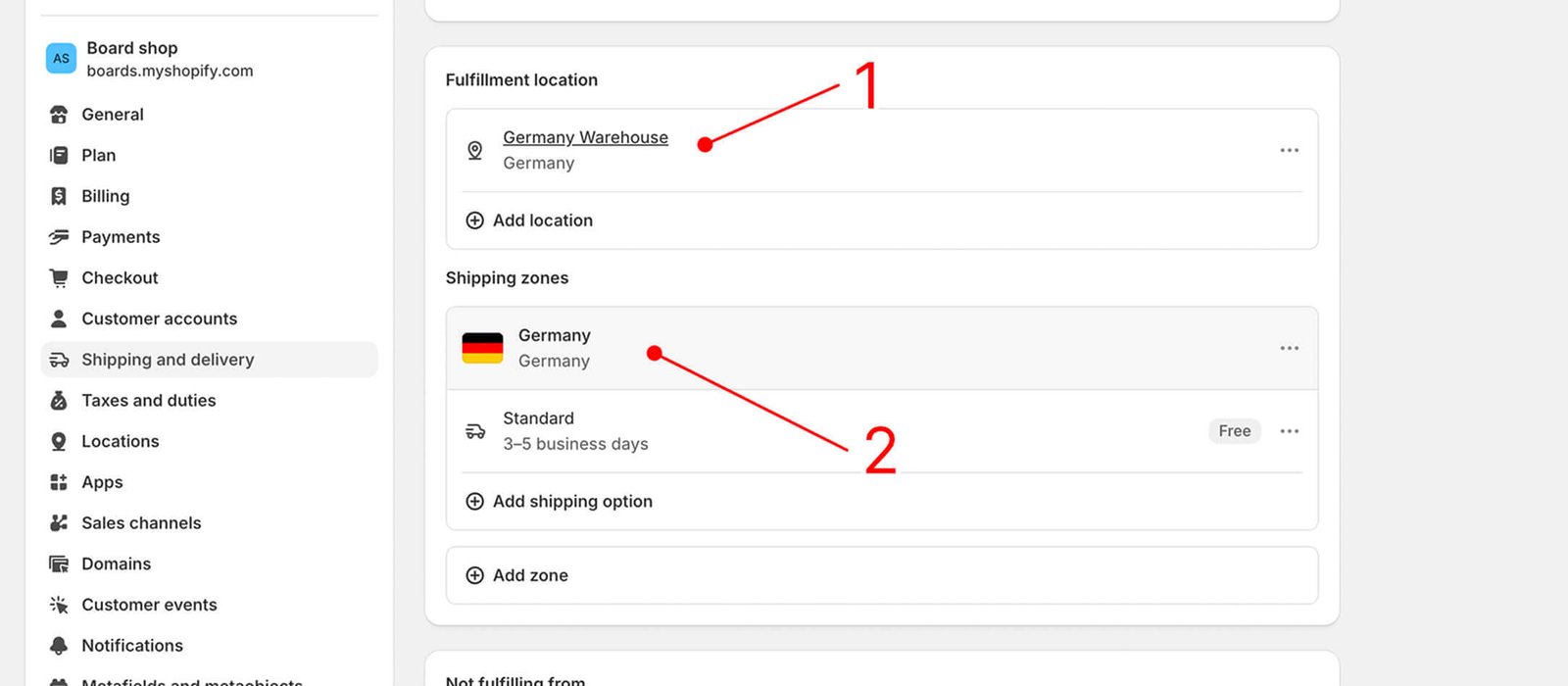
- Confirm the fulfilment location has a shipping zone and rate for the customer countries or regions you intend to serve. Those countries must also be included in an active Shopify market.
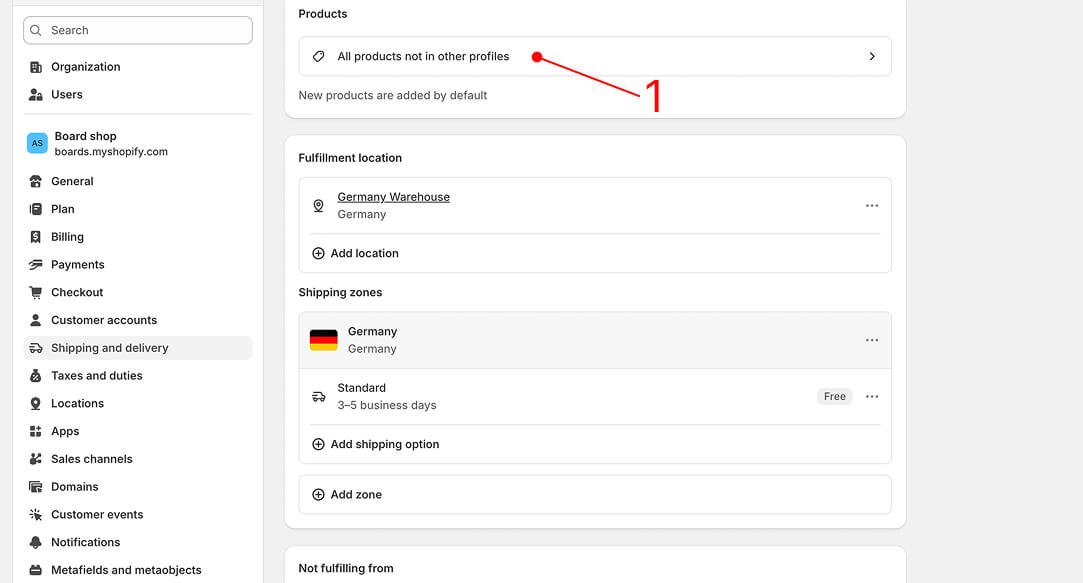
- Confirm that the product is included in the correct shipping profile. Products not added to a custom profile are covered by the general shipping profile. In All products not in other profiles, search for the product and make sure it is selected.
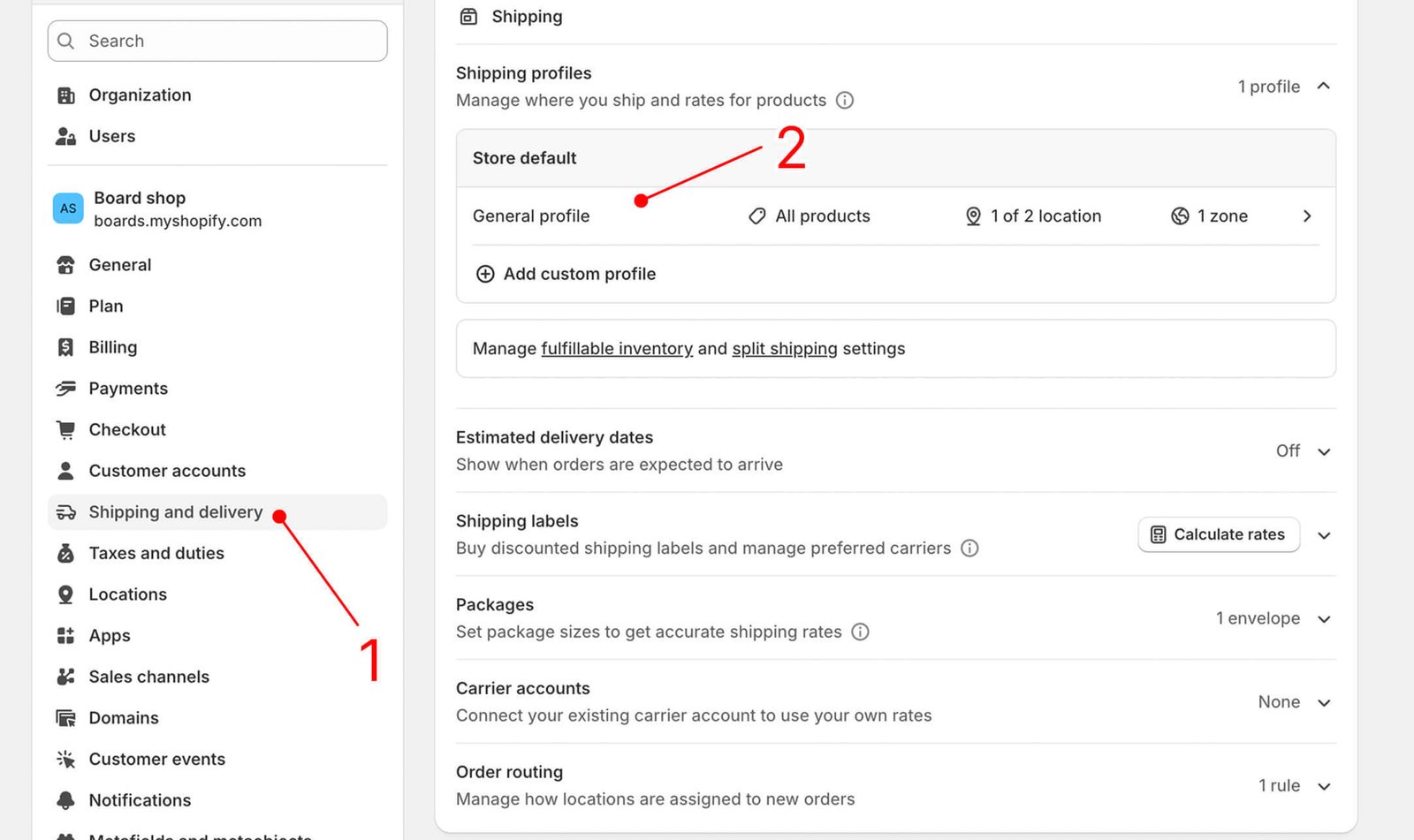
- If the product is not selected, open Settings -> Shipping and delivery, choose the correct profile or create one, add the product, then re-check the shipping zones, rates, and location in step 3.
Shopify sold out issues: quick answers
Why does Shopify say Sold out when inventory is in stock?
Check the exact variant, available quantity at locations that fulfil online orders, product publication to the Online Store, and the shipping profile, zone, and active market. Any one of these can stop a product from being purchasable. A theme or app can also present an unavailable state as Sold out.
Can a shipping profile make a product look sold out?
Yes, indirectly. If the active shipping profile does not have an eligible rate for the shopper's address, market, or fulfilment location, the shopper might not be able to purchase the product. Depending on the theme or installed apps, this can display as Sold out.
Will allowing overselling fix this?
Turning on Continue selling when out of stock can allow checkout after available inventory reaches zero. It does not correct an inventory quantity, location, shipping profile, or shipping-rate issue, and it can create orders you cannot fulfil. Correct the setup first, then use preorders deliberately when you intend to sell for later shipment.

Written by
Laurynas
- 7+ years with Shopify
- 15+ years in ecommerce
Laurynas has over 15 years of experience in ecommerce, including more than 7 years working with Shopify. He brings that background to his writing about Shopify tools and the everyday decisions involved in running an online store.